

WetterCubePlus/Screens und Funktionen/en
-
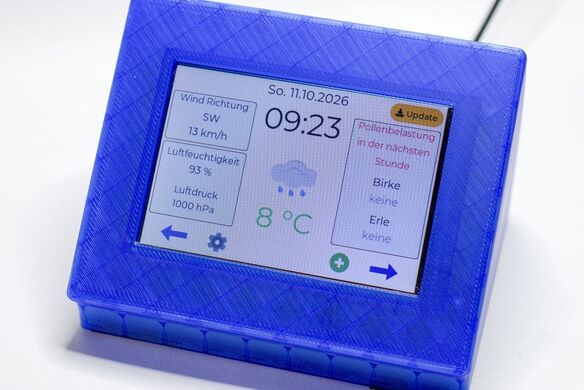 Hauptscreen / Main screen
 -
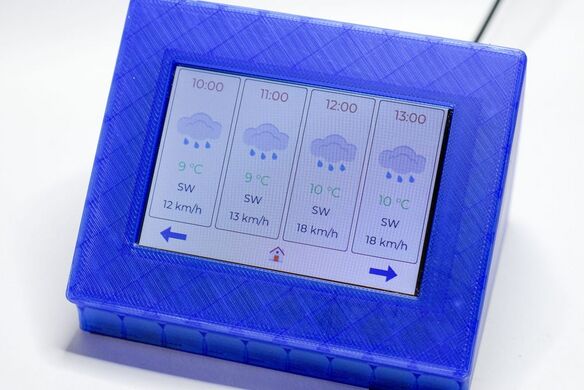 Vorhersage / Forecast
 -
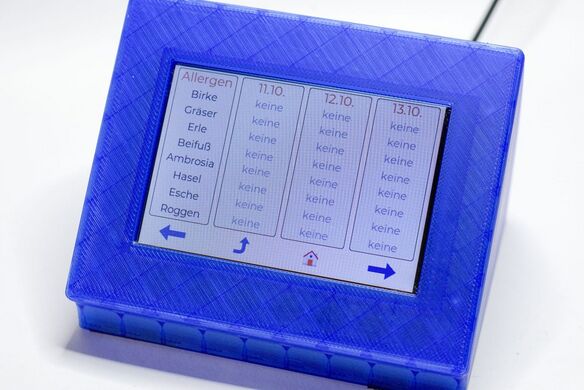 Pollen
 -
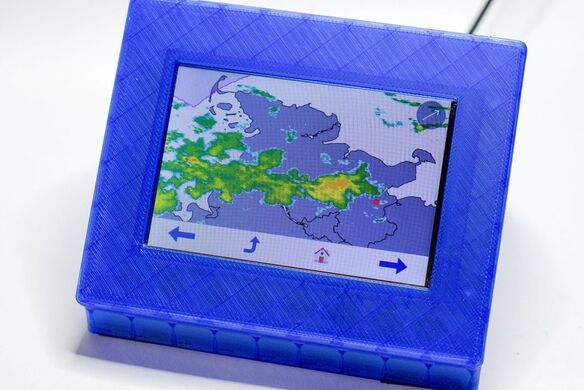 Regenradar / Rain radar
 -
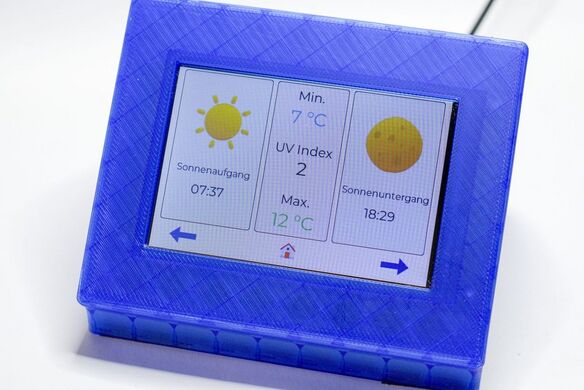 Sonne & Mond / Sun & moon
 -
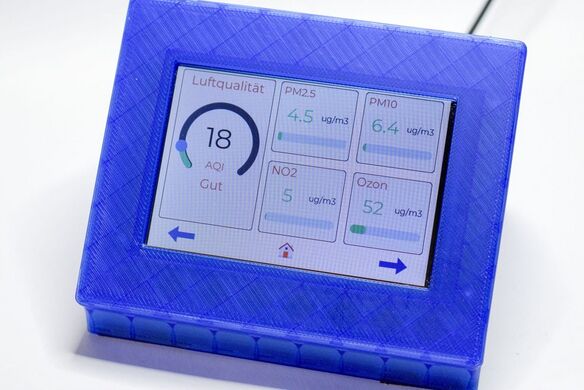 Luftqualität / Air quality
 -
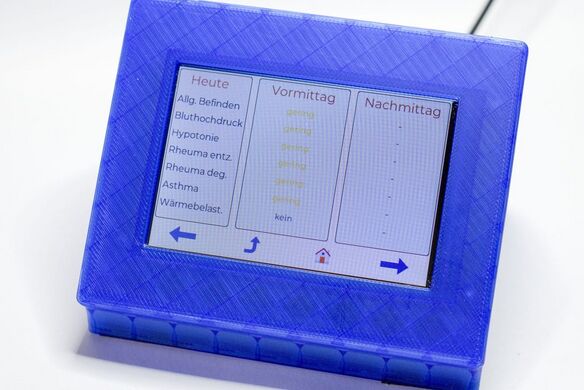 Biowetter
 -
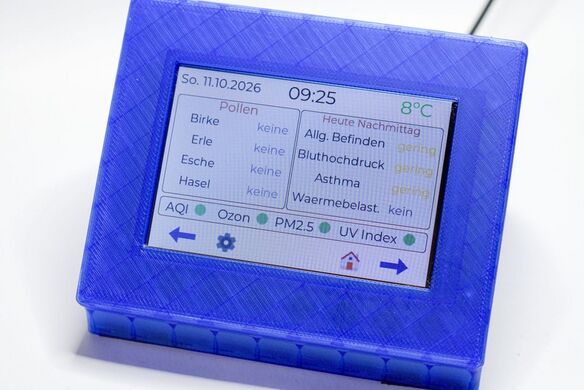 Gesundheit / Health
 -
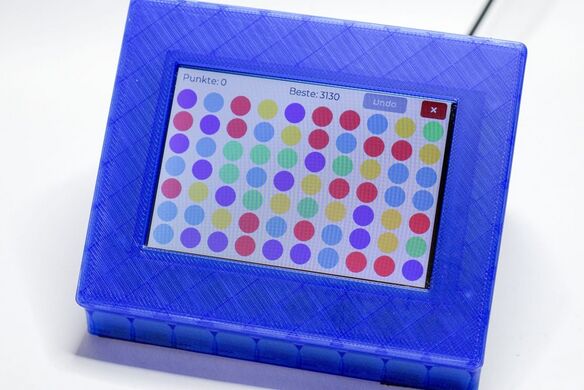 Bubblebreaker


Bildschirmfotos vom Gerät / Screenshots from the device (v1.8.1)
Direkt vom Gerät aufgenommen (480×320, pixelgenau). / Taken straight from the device (480×320, pixel-exact).
-
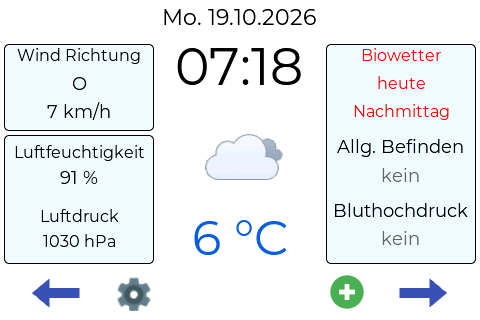 Hauptscreen / Main screen
 -
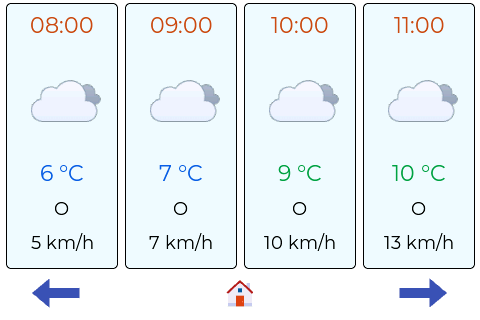 Vorhersage / Forecast
 -
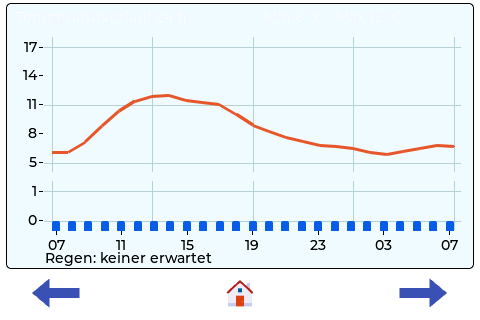 Temperaturverlauf / Temperature history
 -
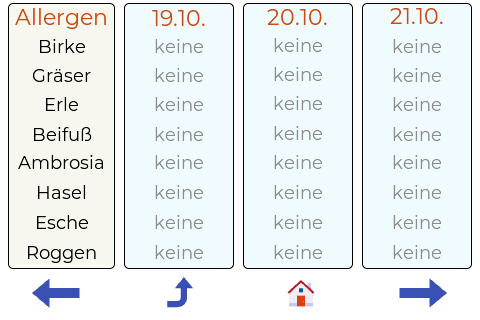 Pollen (Tage / days)
 -
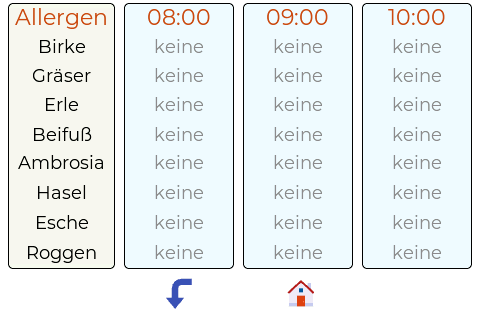 Pollen (stündlich / hourly)
 -
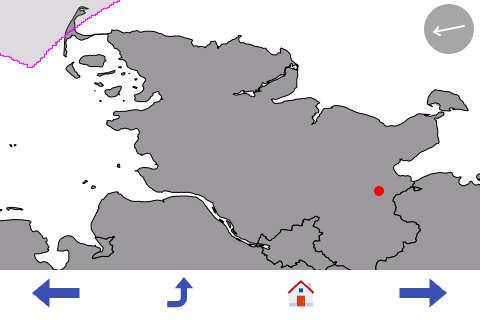 Regenradar / Rain radar
 -
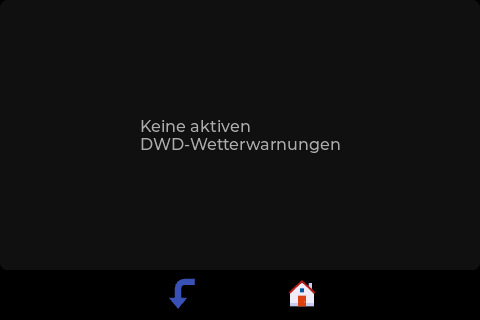 Wetterwarnungen / Weather warnings
 -
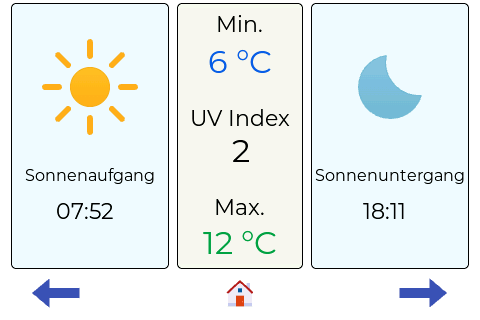 Sonne & Mond / Sun & moon
 -
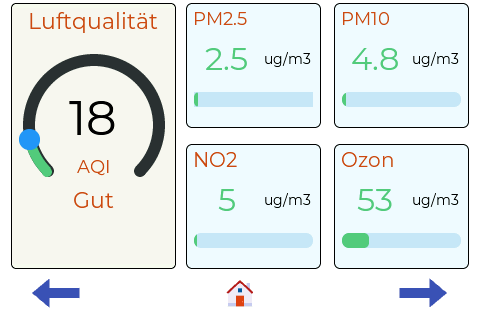 Luftqualität / Air quality
 -
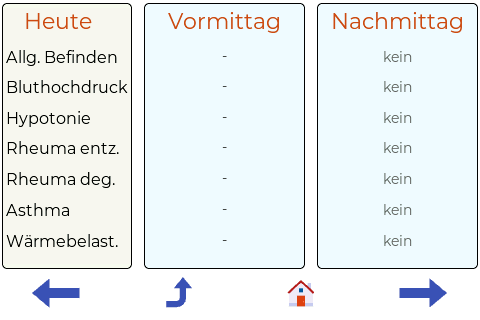 Biowetter (heute) / Bio-weather (today)
 -
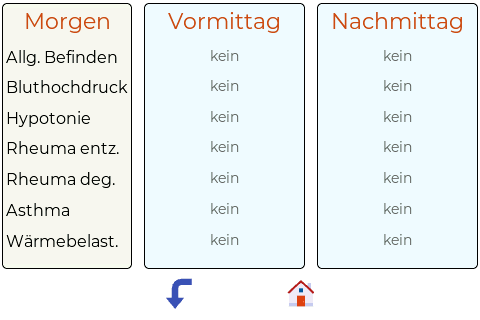 Biowetter (morgen) / Bio-weather (tomorrow)
 -
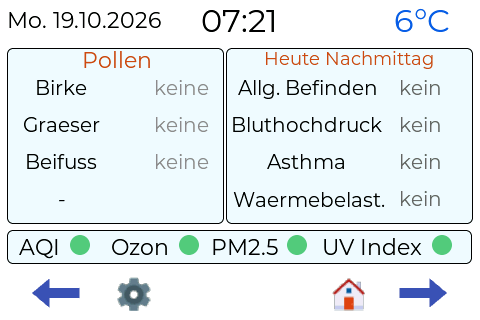 Gesundheit / Health
 -
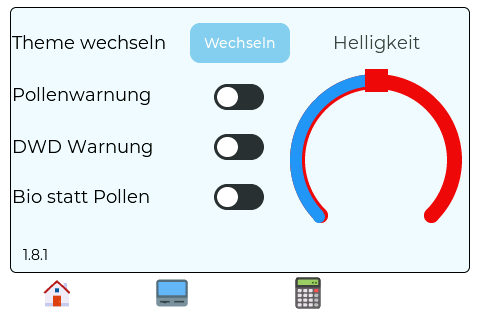 Menü / Menu


Screens
| # | Screen | Content |
|---|---|---|
| 1 | Main screen | current weather, time, date, the two strongest pollen for the next hour or (switchable) the two strongest biowetter values, hint tile at the top left (rain, frost, UV), update icon (top right, when an update is available) |
| 2 | Forecast | 4 time slots with icon, temperature and wind |
| 2a | Temperature chart | Temperature of the next 24 hours as a line chart (labels every 4 hours, min/max), optionally with rain bars (mm per hour) below |
| 3 | Pollen forecast (hours) | pollen load for the next hours (Open-Meteo) |
| 4 | Pollen forecast (days) | 8 allergens (DWD) for today, tomorrow and the day after |
| 5 | Rain radar | section of the chosen federal state (DWD), with location dot and wind arrow |
| 6 | Sun and moon | UV index, sunrise/sunset, daily min/max |
| 7 | Air quality | European AQI as an arc, PM2.5, PM10, NO₂ and ozone, color-coded by EU limits |
| 8–9 | DWD Biowetter (health weather) | health-related weather effects in 7 categories (today, tomorrow) |
| 10 | Health screen | top-4 pollen, 4 selectable Biowetter categories, AQI/ozone/PM2.5/UV as colored dots |
| 11 | Warning screen | flashes on a pollen warning, tap for details |
| 12 | DWD warning map | warnings for your location as colored cards, sorted by level |
| – | Menu | on-device settings, Bubblebreaker, calculator |
On the main screen a red warning button blinks at the bottom center as soon as DWD warnings are active. Tapping it opens the warning map and acknowledges the warning (which also stops the blinking of the WetterAmpel).
Calculator
A colorful calculator with the four basic operations, percent, sign toggle, decimal comma, backspace and C. It works like a classic pocket calculator: left to right (no operator precedence). 200 + 10 % gives 220, and a division by 0 shows "Fehler" (error). The red X returns to the menu. The screen is only created when opened and freed again when closed.
Bubblebreaker
A colorful bubble puzzle: tap connected color groups to clear them. It has an undo for the last move, the modes Normal and Laufend (endless; the board refills automatically) and a high-score table (top 5, kept across restarts).
Data sources
| Source | Data | Interval |
|---|---|---|
| Open-Meteo | weather, pollen (hourly), air quality | 10 to 60 min |
| DWD Opendata | daily pollen forecast, weather warnings, Biowetter | 15 min to 3 h |
| DWD WMS | rain radar of the federal state | 10 min |
Pollen: the main screen top-3 and the pollen warning use Open-Meteo hourly values, the 3-day screen uses the DWD pollen hazard index. All data is free and needs no API key.
Hinweis-Kachel (Regen, Sturm, Frost, UV) / Hint tile (rain, frost, UV)
Deutsch: Oben links auf dem Hauptscreen sitzt eine farbige Kachel mit bis zu vier Hinweisen:
| Hinweis | Farbe | Beispiel | Auslöser |
|---|---|---|---|
| Regen | blau | „Regen in 25 Min.“, „Regen noch 10 Min.“, „Es regnet“ | mindestens 0,1 mm je 15 Minuten in den nächsten 3 Stunden (Open-Meteo, weltweit) |
| Sturm | violett | „Sturmböen ab 17:00, 78 km/h“ | Böen ab 62 km/h (Beaufort 8) in den nächsten 6 Stunden |
| Frost | petrol | „Frost ab 03:00, -2 °C“ | 0 °C oder darunter in den nächsten 12 Stunden |
| UV | orange-braun | „UV hoch (7), Sonnenschutz“ | UV-Index 6 oder höher jetzt oder in den nächsten 3 Stunden |
Bedienung: Ein neuer Hinweis lässt die Kachel blinken. Antippen bestätigt ihn, danach leuchtet die Kachel dauerhaft, solange der Hinweis gilt. Sind mehrere Hinweise aktiv, werden die unbestätigten nacheinander gezeigt (Regen, Sturm, Frost, UV); jedes Antippen bestätigt den gezeigten und zeigt den nächsten. Danach bleibt der wichtigste dauerhaft sichtbar (Regen vor Sturm vor Frost vor UV), ein weiteres Antippen wechselt zum nächsten aktiven Hinweis. Ein bestätigter Hinweis blinkt erst wieder, wenn seine Bedingung mindestens 20 Minuten lang weg war. Ist nichts aktiv, bleibt das Feld leer. Jeder Hinweis lässt sich in der WebUI einzeln abschalten. Die Kachel ersetzt die frühere Regenwarnung (Vollbild-Screen), die mit Version 1.6.0 entfallen ist.
English: A colored tile at the top left of the main screen shows up to four hints: rain (blue, "Regen in 25 Min." etc., at least 0.1 mm per 15 minutes within the next 3 hours, Open-Meteo, worldwide), storm (violet, "Sturmböen ab 17:00, 78 km/h", gusts of 62 km/h or more within the next 6 hours), frost (teal, "Frost ab 03:00, -2 °C", 0 °C or below within the next 12 hours) and UV (orange-brown, "UV hoch (7), Sonnenschutz", UV index 6 or higher now or within the next 3 hours).
Operation: A new hint makes the tile blink. Tapping acknowledges it, after which the tile stays lit as long as the hint applies. If several hints are active, the unacknowledged ones are shown one after another (rain, frost, UV); each tap acknowledges the one shown and shows the next. After that the most important one stays visible (rain before storm before frost before UV), and another tap switches to the next active hint. An acknowledged hint only blinks again after its condition has been gone for at least 20 minutes. If nothing is active the field stays empty. Each hint can be switched off individually in the WebUI. The tile replaces the former rain warning (full-screen), which was removed in version 1.6.0.